Facility managers have a tough job, keeping buildings running smoothly while managing teams that are always on the move. Whether it’s maintenance technicians, cleaning staff, or security personnel, a disconnected mobile workforce leads to missed deadlines, frustrated employees, and wasted resources.
The good news? Avoiding these mistakes is easier than you think, especially with the right tools. Let’s break down the top 5 mobile workforce pitfalls and how mobohubb helps you solve them.
Mistake #1: Poor Communication Through Scattered Apps
The Problem:
Still relying on WhatsApp groups or endless email threads for updates? Scattered communication creates confusion, lost work orders, and costly delays. Technicians show up at the wrong location, urgent requests are missed, and there’s no clear record of who did what, or when.
The Fix: Centralized Work Hub
mobohubb keeps your communication, scheduling, and task management in one place. Facility managers can assign reports, share real-time updates, and track task progress, no more guessing who’s handling what. Field teams receive instant mobile notifications, and managers get complete visibility from a single dashboard.

Mistake #2: Facility Managers who don’t use GPS tracking
The Problem:
Sending the “nearest available technician” without real-time GPS tracking or considering urgency is a recipe for wasted time and angry tenants. You risk dispatching someone across the facility for a low-priority issue while a critical repair sits unaddressed.
The Fix: Smarter, Location-Aware Scheduling
mobohubb uses smart dispatching factors in real-time location, urgency, and skill set. Whether you need a licensed electrician or a cleaning crew for a spill, the system filters the right person for the job and sends them straight there, no detours, no guesswork.
Mistake #3: Sticking to Paper Forms Instead of Embracing Digital Tools
The Problem:
Clipboards may be familiar, but they’re also inefficient. Paper gets lost, handwriting is hard to read, and there’s no live visibility. Without digital records, you’re operating blind.
The Fix: Digital Checkpoints
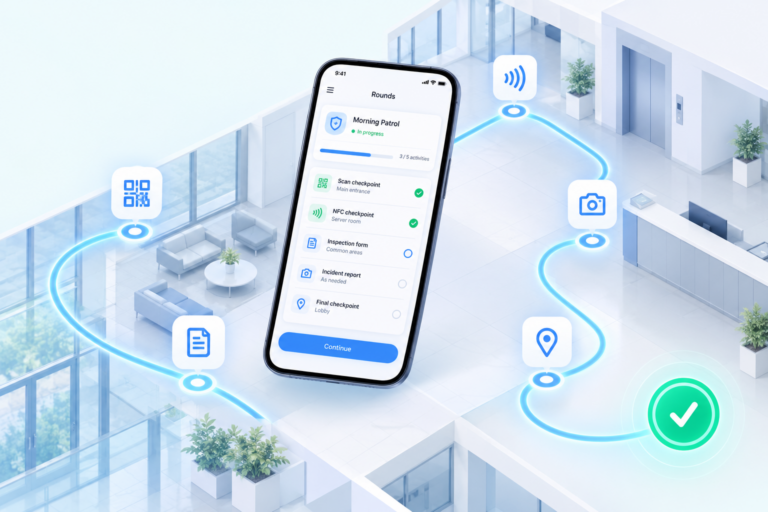
mobohubb replaces outdated systems with Checkpoints, using QR codes and NFC tags placed at key locations. Field teams scan them to log their tasks, submit reports, and even trigger automated workflows, like ordering replacement parts when something fails inspection.
Mistake #4: Letting Field Teams Use Personal Phones (BYOD)
The Problem:
Allowing employees to use their own devices may seem cost-effective, but it’s a data security risk and a productivity killer. Sensitive facility data can leak through unsecured networks, and social media becomes a constant distraction.
The Fix: Secure, Work-First Mobile Access
mobohubb works best on company-issued mobile devices with Mobile Device Management (MDM), turning phones into powerful tools instead of distractions. With role-based access controls, facility managers can eliminate unauthorized apps, protect sensitive data, and keep teams focused on the task at hand.

Mistake #5: Not Tracking Team Performance or Gathering Feedback
The Problem:
If you’re not tracking task completion rates, response times, or recurring issues, you can’t optimize. And if you’re not collecting input from your mobile team, you’re missing critical frontline insights.
The Fix: Real-Time Analytics & Feedback Loops
mobohubb gives facility managers clear metrics, track how fast issues are resolved, which tasks are repeatedly flagged, and where delays happen. Even better, built-in feedback tools let your field staff report problems or suggest improvements, creating a continuous loop for process optimization.
Stop guessing. Start optimizing.
Managing a mobile workforce doesn’t have to mean chaos. With mobohubb, you get:
✔ Clear communication (no more lost work orders)
✔ Smarter dispatching (right person, right place, right time)
✔ Digital tracking (QR codes, NFC tags, and automated logs)
✔ Secure mobile access (work tools, not distractions)
✔ Actionable insights (real data to improve efficiency)
Ready to fix these mistakes before they cost you? See mobohubb in action now
Related Content: